A field guide to Donut Place
IT RUNS IN A TAB
Donut Place is a Unity 6 WebGL build served inside the portal page, not a download. This page records what that costs — the wait before you play, the ad that interrupts you, and the browser furniture around the game.
- TESTED one play session on 2026-11-05, desktop Chrome, captured in two recordings
- IN-GAME Use the Mouse or Keyboard to Move!, and the settings gear in the top-left corner
- OFFICIAL ONLY Unity 6, Browser (desktop, mobile, tablet), plus a CrazyGames app — the portal card
- NEEDS CHECK whether the build keeps a save across tabs, and how it behaves on a phone
What loads
The portal page loads first: navigation, search, a column of other games, and the
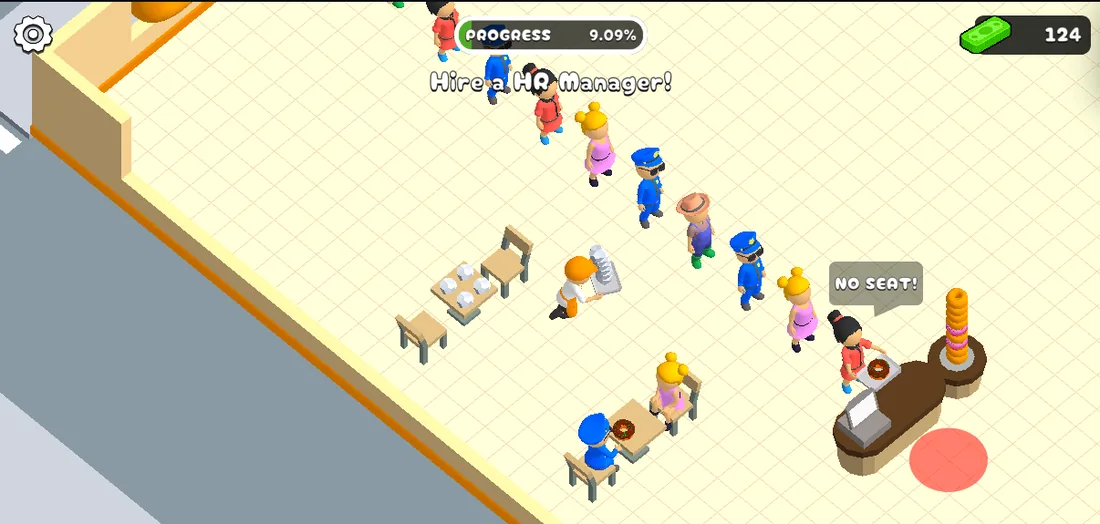
game frame itself. Inside that frame the build shows a black screen with the
GMR Bros. mark and the word LOADING, then the shop. We did not stopwatch it
frame by frame, but from pressing play to standing on the pavement was roughly
twenty seconds on a desktop connection with the page already open.
That wait is the cost of the engine, not of the game's size: it is a Unity 6 WebGL build, and the portal card says so.
What interrupts
While we played, the portal served a full-screen interstitial — an unrelated
advertisement with a Continue in 3! countdown — and the shop stopped
underneath it. It arrived about 110 seconds into the session.
Two things follow from that, and both matter more than they sound:
- an ad can interrupt a session that is going well, and the game does not warn you;
- the page keeps a banner of its own on the right, which is why the shop never fills the whole monitor.
We have not measured how often the interstitial returns. One in a two-minute session is what we saw.
What it asks for
A browser with WebGL, a mouse or a trackpad, and a keyboard. The portal lists
Browser (desktop, mobile, tablet), and the game's own first prompt —
Use the Mouse or Keyboard to Move! — assumes one of those two. There is a gear
icon in the top-left corner during play; we have not opened it, so we do not know
whether it rebinds keys or only changes volume.
We have not played it on a phone. The portal says the build supports one, and the prompt wording suggests a touch layout exists, but a page of desktop screenshots is not evidence about a touchscreen, so this stays open.
Interruptions
Twice during a recording the game frame went black and came back showing the portal's own loading splash — once about eight and a half minutes into the first recording, once around six minutes into the second. We did not establish what caused either one: it may have been the interstitial, the tab, or the build.
What we can say is what we saw afterwards, and the two interruptions did not
behave the same way. After the second one the shop was plainly continuous: the
meter's last reading before the black frame was 25%, and the first one after
it was 27.27%, with 54 in cash — higher, not reset. After the first one it was not: the next recording opens at
13.64% with 0 in cash, when the session before the interruption had already
climbed past 20% with money in the till. One continuous return and one that
is not is not an answer to what gets saved — see the meter page
for the same note.
The bar under the frame
The game frame carries a small toolbar along its bottom edge with a Hide this bar control. Hiding it returns a strip of vertical space to the shop. The shop
camera is fixed to the room rather than to the player, so a wider window shows
more floor rather than a bigger character.
Last checked against the client: 2026-11-05 · client web build 2026-11-05